
How can we help you?
How Do I Create an Email Address in DirectAdmin?
In your DirectAdmin control panel you can easily create an email account on your web hosting package.
We explain step by step how exactly you can do this.
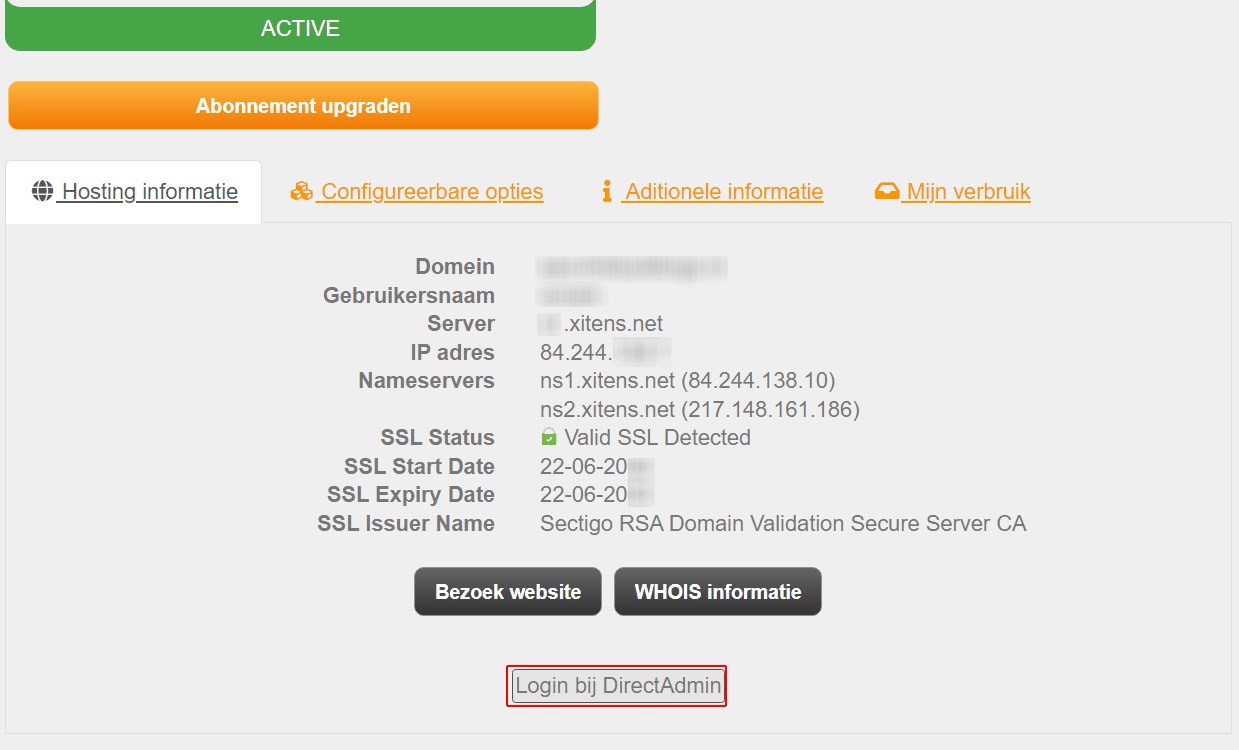
1. Login to your customer panel Log in and go to Services Then click on your hosting package and then on the button Log in to DirectAdmin
You can also log in with the login details you received by email.
2. If you have successfully logged in to DirectAdmin, check next E-Mail Accounts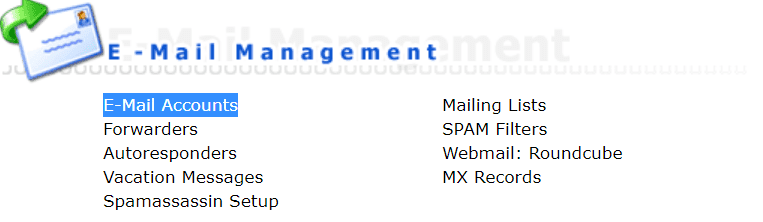
3. Then Click Create mail account

4. You can create your email address in this window
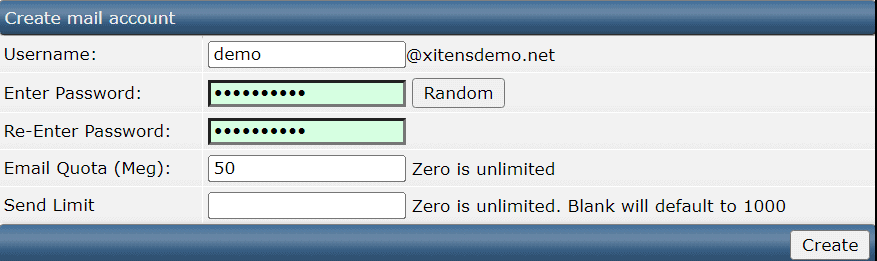
Bee Username you can enter the name you want. For example, with our demo the email address will be demo@xitensdemo.net Bee Enter Password you can enter a password for your email address. Or the button Random Click to Generate One Automatically.
Bee E-mail Quota you can specify the size of your mailbox.
By default this is set to 50 Megabyte, but you can of course also increase or decrease this 0 for unlimited space.
5. You have now successfully created an email address.
We explain step by step how exactly you can do this.
1. Login to your customer panel Log in and go to Services Then click on your hosting package and then on the button Log in to DirectAdmin
You can also log in with the login details you received by email.
2. If you have successfully logged in to DirectAdmin, check next E-Mail Accounts
3. Then Click Create mail account
4. You can create your email address in this window
Bee Username you can enter the name you want. For example, with our demo the email address will be demo@xitensdemo.net Bee Enter Password you can enter a password for your email address. Or the button Random Click to Generate One Automatically.
Bee E-mail Quota you can specify the size of your mailbox.
By default this is set to 50 Megabyte, but you can of course also increase or decrease this 0 for unlimited space.
5. You have now successfully created an email address.