
How can we help you?
How Do I Change My Email Account Password?
How do I change an email account password in DirectAdmin?
You can easily change the password for an email address in the DirectAdmin control panel.1. Log in to DirectAdmin
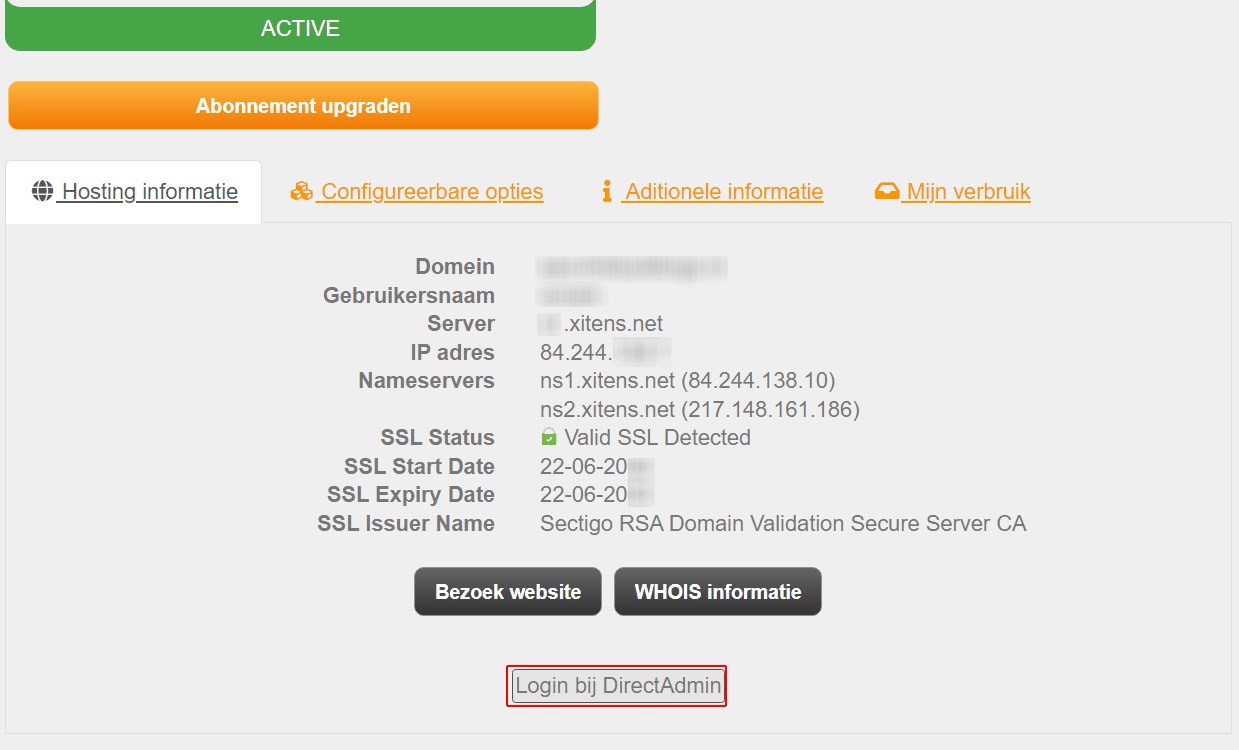
Log in to DirectAdmin through your customer panel. Open Services, select the relevant hosting plan and click Log in to DirectAdmin.
You can also sign in directly with the DirectAdmin credentials sent to you by email.
2. Open E-Mail Accounts
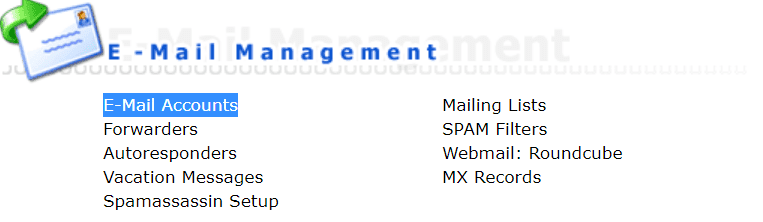
After signing in, open E-Mail Accounts.
3. Select the email address
Find the email address whose password you want to change. Under Password/Quota, click Change.

4. Set a new password
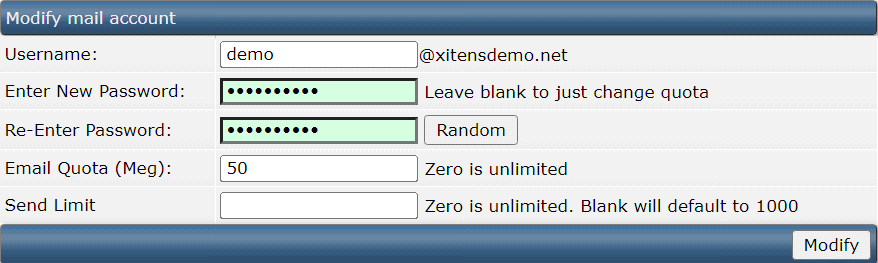
Enter the new password in both Enter Password and Re-Enter Password. You can select Random to generate a strong password automatically. Click Modify to save the change.
5. Update your connected devices
The password has now been changed. Use the new password in your email application and on every device where the email account is configured.