
How can we help you?
How Can I Change the Payment Method for My Invoices?
You can pay your invoices in different ways. Discover in this article how you can change the payment method of your invoices.
Change payment method of invoices:
1. Log in to your customer panel.
2. Click Client Area and then on Invoices
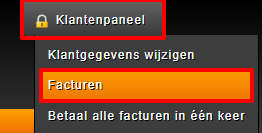
3. Now click on the relevant invoice for which you want to change the payment method.
4. A drop-down menu will appear on the left side of the invoice with the different payment methods such as: By bank, iDeal, PayPal or pay with Cryptocurrency. Once you have made your choice, an option to pay will appear to the right of this payment option.
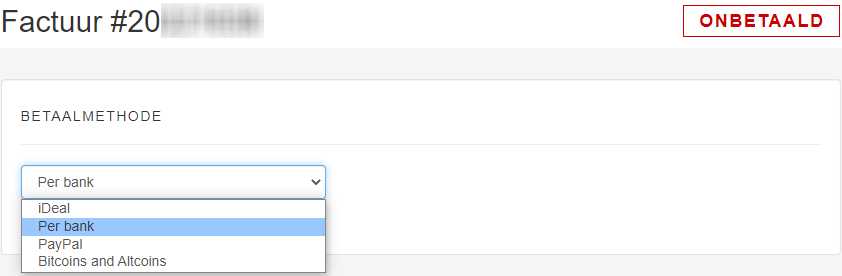
Depending on your chosen payment methods, you will automatically be redirected to your desired payment method.
As soon as your invoice has been paid, it will be sent Get Paid.