
How Do I Change File Permissions via FTP?
With the rights of the files you can indicate what rights your visitors have when requesting your website files.
For example, you want to prevent configuration files from being readable by third parties, but you do want your contact page to be readable. You can easily change the file or folder permissions as desired.
We explain to you in four steps exactly how to do this, including an instructional video.
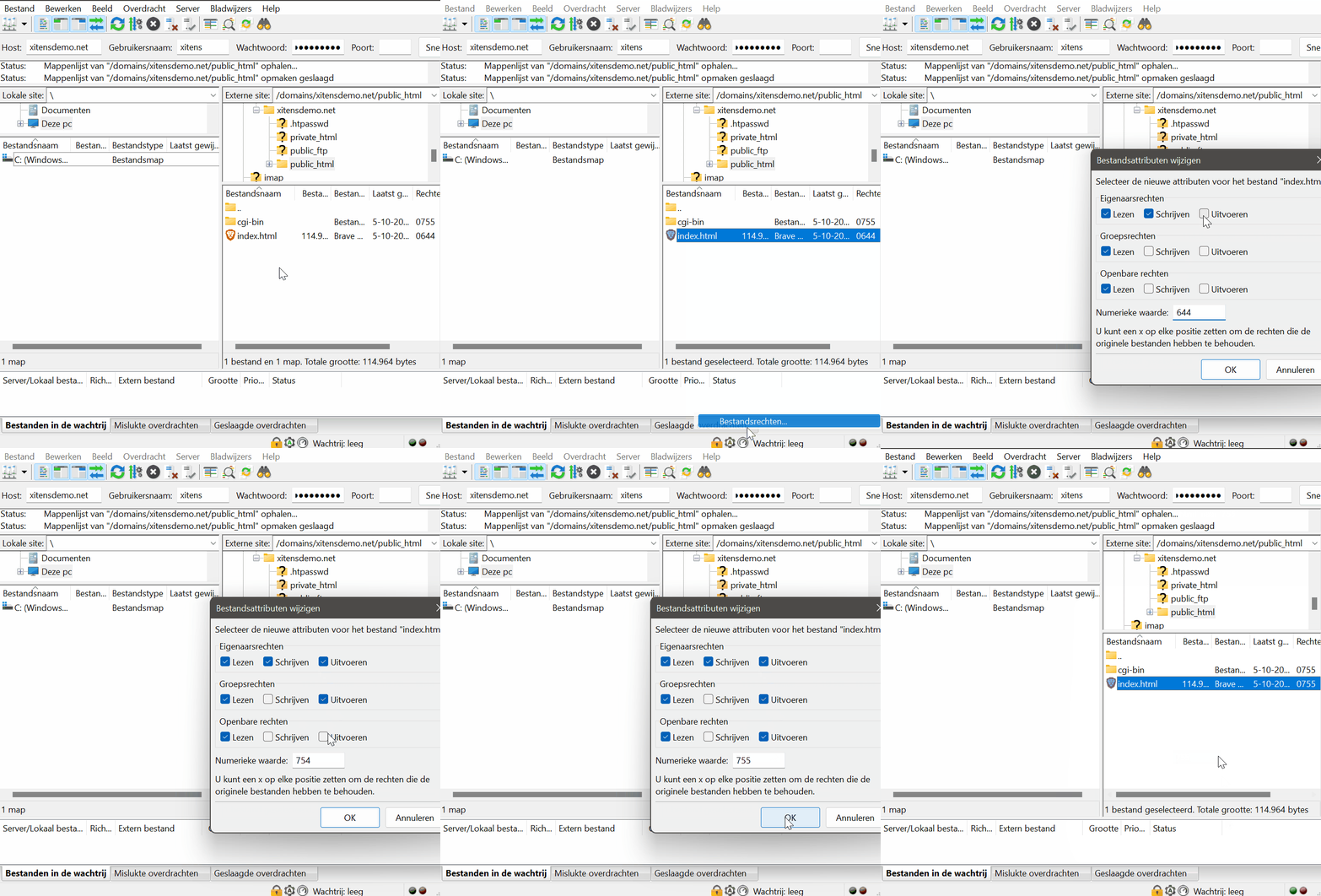
1. Preferably open your FTP program FileZilla and connect to your website.
2. Right-click on the file or folder whose permissions you want to change.
3. Now you can change the permissions of the file or folder.
4. Click Now OK to confirm the change.
Make sure that you apply the file permissions safely, otherwise you will create security holes. When in doubt, always ask an expert.